Mirror Link Car Display
- 3.9
- Rating
- 100.00K
- Installs
- Free
- Price
 Analysis by App-foxy
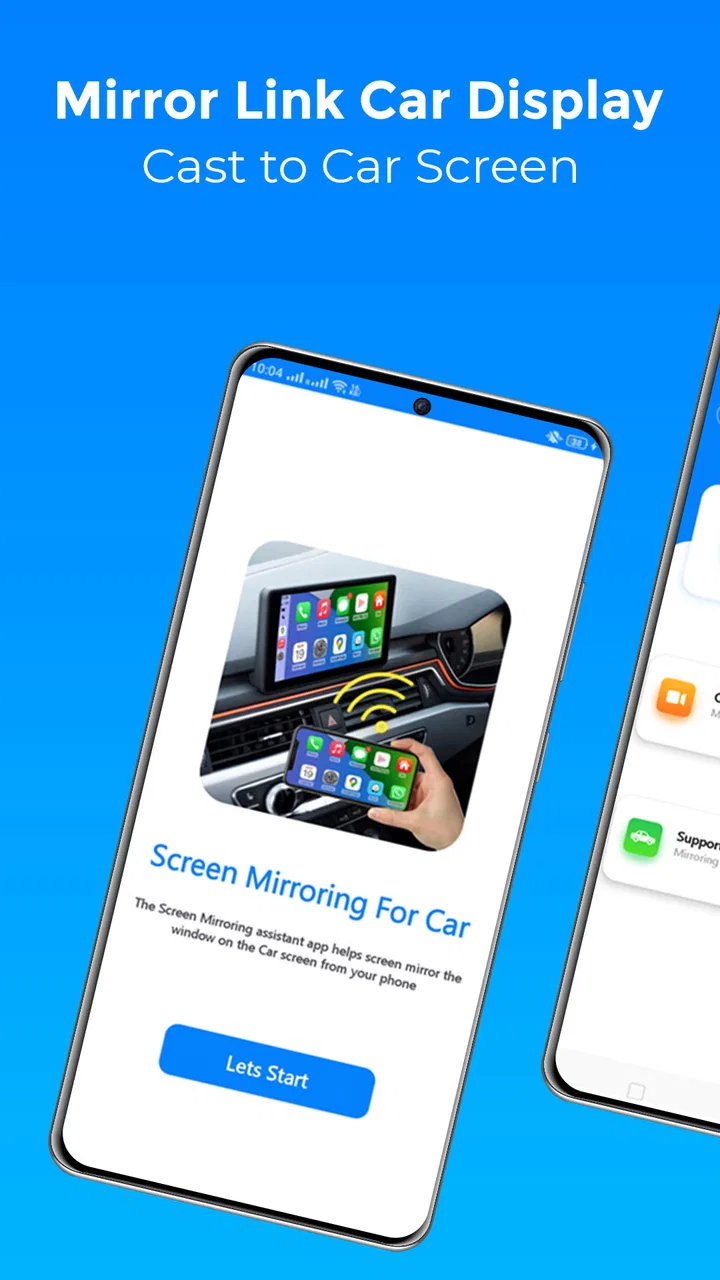
Mirror Link Car Display is the kind of Android app that sounds simple until you try to use screen mirroring in a real car. Its purpose is to connect a phone to a compatible dashboard and show the phone’s screen there, rather than asking you to learn a completely separate interface. I tested it with that practical goal in mind: start with the phone, connect it to the vehicle, and make the dashboard useful without turning every drive into a setup project.
The app comes from Vidmark Inc. and sits in the Libraries & Demo section, which is a reasonable home for a utility built around demonstrating and transferring a phone display. It is free to install, rated for Everyone, and has reached over 100 thousand installs. The current release is version 1.2, and the app requires Android 9 or later. Those details make it accessible to many older phones, although compatibility with the dashboard still matters just as much as the Android requirement.
How the basic car-screen workflow feels
The first thing I would do with this app is keep the initial test stationary. Connect the phone to the car’s supported display system, open Mirror Link Car Display, and check whether the dashboard recognizes the connection. This is not a feature I would experiment with while moving. A calm setup in the driveway makes it much easier to separate an app problem from a cable, vehicle, or phone problem.
You May Also Like

 Blood Strike: 2.5 Anniversary
Blood Strike’s Loadouts Turn Every Drop Into a Tactical Gamble
A close look at Blood Strike’s custom loadouts: how fast access to signature weapons reshapes its battle royale rhythm, rewards preparation, and narrows the gap between fights.

 Pandora - Music & Podcasts
Pandora’s Music Is Easy to Start, but Harder to Recover
Pandora’s strength is its low-effort path from a seed to a station. Its weak spot is how much confidence it asks you to place in connection, setup, and quiet recovery.

 8 Ball Pool
 Is Built on Rivalries, Rematches, and Routine
A close look at the rivalries, rematches, shared routines, and unanswered safety questions that turn a quick pool match into a persistent mobile community.

 Samsung Music
’s Quiet Strength Is Playing What You Already Own
Its reach comes less from spectacle than from dependable access to a personal library. That simplicity is both the app’s strongest retention engine and its ceiling.

 AccuWeather: Weather Radar
AccuWeather Review: A Quick, Clear Forecast for Everyday Decisions
For everyday plans, the best forecast is the one you can understand quickly. AccuWeather makes rain timing, radar, and local conditions easy to act on, with a few trade-offs.

 Hill Climb Racing
Why Hill Climb Racing Still Turns Crashes Into One More Run
A tiny car, a bumpy hill and one more upgrade: Hill Climb Racing keeps resurfacing because its simple chaos makes every near-miss feel personal.
More From Our News Desk
View All News


The central appeal is straightforward: instead of treating the car screen as an isolated device, the app attempts to make it a larger view of the phone. That can be convenient when the dashboard is compatible but does not offer the exact phone experience I want. I can prepare the content on the handset first, connect it, and then use the larger display as the place I look while parked or when the vehicle’s controls support safe interaction.
There is an important distinction between mirroring and a full car platform. Mirroring shows the phone’s display; it does not automatically turn every phone app into a dashboard-friendly application. A small button can remain small, a portrait layout can stay portrait, and an app designed for touch in the hand may feel awkward from the driver’s seat. That difference is the first major trade-off, and it is why I see this as a connector utility rather than a replacement for a purpose-built automotive interface.
For a normal daily routine, I would prepare before leaving: unlock the phone, close anything private or distracting, open the content I actually need, and then connect. This reduces the number of taps required once the screen appears in the car. It also avoids the common mistake of expecting the dashboard to organize the phone for me. The app’s value is highest when I treat it as the bridge in a repeatable routine, not as an automatic car operating system.
What I would check before relying on it
Compatibility is the first practical question. The phone may meet the Android requirement while the vehicle still lacks the necessary support for this type of connection. The dashboard, cable, input mode, and phone all have to cooperate. If the car does not recognize the connection, repeatedly reopening the app is unlikely to solve a missing hardware or system capability.
I would also test whether the display remains stable during a short parked session. A connection that works for a few seconds but drops when the phone locks, rotates, or changes applications may not be dependable enough for regular use. That does not necessarily make the app useless; it tells me which tasks are realistic. A quick reference screen may be fine, while a long session could be frustrating.
Another useful check is control direction. Some dashboard systems may display the phone but offer limited interaction with it. In that situation, I would use the handset for preparation and regard the car screen mainly as a larger viewing surface. If the dashboard cannot safely control the mirrored content, trying to operate tiny phone controls from the vehicle is the wrong workflow.
Privacy deserves a place in the setup too. Mirroring means that whatever appears on the phone can potentially appear on the dashboard. Incoming messages, notifications, photos, and unrelated open apps may become visible. Before connecting, I would switch away from personal material and review notification behavior. This is one of the less obvious costs of a direct screen mirror: convenience can also expose more of the phone than a filtered automotive interface would.
Settings and habits that make the connection less annoying
There is no benefit in changing every phone setting at once. I prefer to adjust one variable at a time and test the result while parked. Start with screen orientation, display timeout, brightness, and notification behavior. These basic choices affect the experience more than clever shortcuts because they determine whether the mirrored screen stays readable and predictable.
Brightness is worth treating as a compromise. A very bright phone may make the dashboard display uncomfortable at night, while a dim setting can become difficult to read in daylight. I would set the phone to a middle level before connecting and make small changes from there. If the vehicle applies its own brightness control, I would test both controls separately instead of assuming they are linked.
Screen timeout can also interrupt a session. If the phone locks quickly, the dashboard may stop showing useful content or require the connection to be restarted. On the other hand, keeping the phone awake for long periods can use more battery and leave private information exposed. My preferred habit would be to use the shortest timeout that still suits the planned task, then lock the phone whenever the mirrored view is no longer needed.
Orientation is another quiet source of friction. A phone app that rotates unexpectedly can become difficult to read on a wide dashboard. Before driving, I would open the intended app, choose the orientation that looks best, and avoid switching repeatedly. This is especially helpful when the dashboard has a fixed shape and cannot compensate for a portrait-first phone layout.
Notifications should be handled before the connection, not after an unwanted message appears. I would enable a driving-focused notification mode if the phone offers one, or at least clear sensitive apps from the recent-apps view. The practical point is not to make the phone look tidy; it is to prevent the mirrored screen from becoming a live copy of every interruption.
Battery planning matters more than I expected from a small utility. Screen mirroring can keep the phone active, and the display connection may add to the load. For a short trip, that may not matter. For a long journey, I would connect power from the beginning and position the phone so the cable does not interfere with controls. A stable power habit is more useful than trying to recover a nearly empty battery halfway through a trip.
Repeatable shortcuts for everyday use
The best improvement is a fixed order of operations. I would place the app somewhere easy to reach, prepare the phone before entering traffic, connect while parked, and verify the dashboard image before moving. Repeating that sequence removes guesswork. If the connection fails, I know where it failed instead of randomly tapping through several screens.
A useful everyday scenario is a passenger using the mirrored display during a stop or while the vehicle is parked. The passenger can prepare a map, reference page, or other permitted content on the phone, connect it, and use the larger screen without the driver handling the device. This is a better fit for direct mirroring than asking the driver to operate a phone-sized interface through a dashboard.
I would also create a “clean start” habit. Close apps that should not appear, return to the exact screen I want to show, lower or raise brightness as needed, and then connect. If the app mirrors the current phone view rather than presenting a curated dashboard, this preparation saves time and prevents awkward surprises.
When a connection fails, I would troubleshoot in a controlled order: confirm the cable or connection method, check the vehicle input source, unlock the phone, reopen the app, and reconnect while parked. Changing several things simultaneously makes it harder to identify the cause. If the same vehicle and phone combination repeatedly fails, I would stop treating it as a routine inconvenience and consider whether a native automotive solution is a better investment of time.
It is also worth deciding what success means for each trip. If I only need a larger view for a passenger, a brief connection is enough. If I need continuous access, stability and power become essential. If I need voice guidance, large controls, and automatic notification filtering, a dedicated car interface is likely more appropriate. Mirror Link Car Display works best when the task matches what mirroring is good at.
Where direct mirroring reaches its limits
The biggest limitation is that a phone screen is not automatically a safe driving interface. The app can place that screen on the dashboard, but it cannot redesign every third-party application into large, glanceable controls. I would never judge it solely by whether it can display an app; I would judge whether that app remains sensible and safe to use in the vehicle.
Performance can also depend on the whole connection chain. Any delay, dropped image, unusual scaling, or orientation problem may come from the phone, dashboard, connection method, or mirrored application. That makes troubleshooting less direct than using a native car app. The utility is valuable precisely because it is flexible, but flexibility brings more variables.
There is a cost consideration even though the app itself is free to install. In-app purchases are listed at $14.99 per item. I would therefore explore the basic connection thoroughly before paying for anything, and I would make sure any purchase addresses a problem I actually have. A free download can still lead to a paid decision, so the usefulness of the unlocked experience matters more than the installation price.
The app’s rating is 3.9 from around 2.7 thousand ratings, with 17 written reviews. I read that as a sign to keep expectations practical rather than assuming universal compatibility. A middling average can reflect different phones, cars, cables, and expectations, especially with a tool whose results depend on hardware outside the app itself. I would test it with my exact setup before making it part of an important travel routine.
Compared with Android Auto or another native dashboard system, this approach is more open-ended but less polished. A native system usually offers safer layouts, selected compatible apps, and controls designed for the car. Mirror Link Car Display can be more direct when I specifically want the phone’s screen, but that same directness means I inherit the phone interface’s clutter and limitations.
Compared with a simple phone mount, the app can provide a larger shared view on the dashboard when the connection works. A mount is easier to understand, does not depend on dashboard compatibility, and keeps the phone interface physically close. The mirrored display is preferable when the car screen is clearly more visible or useful, but the mount remains the simpler fallback when reliability matters most.
Compared with a manufacturer-specific projection method, this app may appeal to someone who wants a straightforward bridge rather than a larger ecosystem. The trade-off is that manufacturer systems often integrate more deeply with vehicle controls. I would choose this utility for experimentation, occasional viewing, or a compatible setup where direct mirroring is the exact need—not because it replaces every built-in option.
Who should use it and who should skip it
I think it is a good candidate for Android users with a compatible car display who want to see phone content on the dashboard and are comfortable preparing the phone before driving. It can also suit passengers, demo situations, and people who prefer a familiar phone layout over learning a separate interface.
I would be more cautious if the goal is effortless navigation, hands-free control, or constant access to several driving-friendly services. Those users will probably be happier with a native automotive platform or the vehicle’s own supported system. I would also skip it if the car does not recognize the required connection, if the phone is below Android 9, or if the mirrored screen is too small or awkward to operate safely.
New users should not judge the app after a rushed test at the roadside. Give it a controlled trial, use the exact cable and vehicle setup intended for daily use, and test the apps that matter. Experienced users can get more from it by standardizing brightness, orientation, notification handling, power, and connection order. Those habits turn a vague “maybe it works” tool into a predictable part of a specific routine.
My verdict after using it as a practical connector
Mirror Link Car Display is appealing because it focuses on one clear job: bringing the phone’s display to a compatible car dashboard. I like the directness, especially when I want the phone interface itself and do not need a fully redesigned automotive environment. The free entry point makes it easy to test, and the Everyone rating keeps the app broadly approachable.
My recommendation comes with a firm condition: treat it as a screen-mirroring utility, not as a guarantee of a safe or universal in-car experience. Its success depends on the phone, vehicle, connection, layout, and the apps being mirrored. Once I accept those limits, the workflow becomes much more sensible. Prepare at home, connect while parked, keep personal notifications under control, use power for longer trips, and avoid forcing phone-sized controls into a driving task.
For the right car and the right habit, it can be a useful bridge between a phone and a dashboard. For someone seeking seamless integration with large controls and minimal setup, a native alternative is the better choice. I would install it when direct mirroring is specifically what I need, test the complete setup before relying on it, and only consider the listed in-app purchase after confirming that the free experience fits my actual vehicle routine.
FAQs for Mirror Link Car Display
01What is Mirror Link Car Display and how does it work?
Mirror Link Car Display is an application that allows you to connect your smartphone to your car's infotainment system, displaying your phone’s screen on the car's dashboard. This app enhances driving convenience by providing access to navigation, music, and other essential apps, all while keeping your focus on the road.
02Is Mirror Link Car Display compatible with all smartphones and vehicles?
Mirror Link Car Display is compatible with a wide range of Android and iOS devices, but it is essential to check if your particular smartphone model and vehicle's infotainment system support the Mirror Link protocol. Compatibility can vary, so consult the app's official website or your car manufacturer for specific details.
03Does using Mirror Link Car Display require a data connection?
Yes, a data connection is often required to access real-time features like navigation and streaming services through Mirror Link Car Display. However, some basic functions might work offline. For the best experience, ensure you have a stable internet connection while using the app.
04How does Mirror Link Car Display affect smartphone battery life?
Using Mirror Link Car Display can drain your smartphone’s battery faster, as it needs to power the display and maintain a connection with the car’s system. It is advisable to use a car charger to keep your device powered during use to avoid running out of battery on the go.
05Are there any safety features included in Mirror Link Car Display?
Mirror Link Car Display includes safety features designed to minimize distractions. For instance, certain functions may be restricted while the car is in motion, and voice command capabilities can help keep your hands on the wheel. Always prioritize safe driving practices when using the app.
Pros
- Seamless integration with car systems.
- User-friendly interface for easy navigation.
- Supports multiple apps for convenience.
- Enhances driving safety with hands-free use.
- Regular updates for improved performance.
Cons
- Limited compatibility with some car models.
- May require a stable internet connection.
- Occasional lag with older devices.
- Some features locked behind paywall.
- Might drain phone battery quickly.

Mirror Link Car Display
Gallery